Features
Everything Forward does.
Built around your paycheck, tested on every change, and honest about money you don't have yet.
Plan
Give every paycheck a job before it arrives.
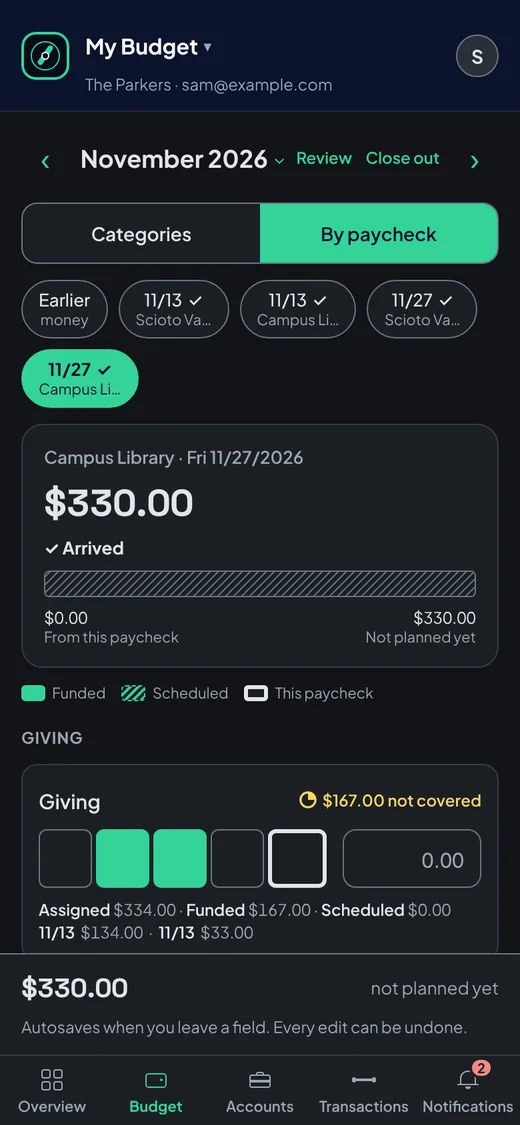
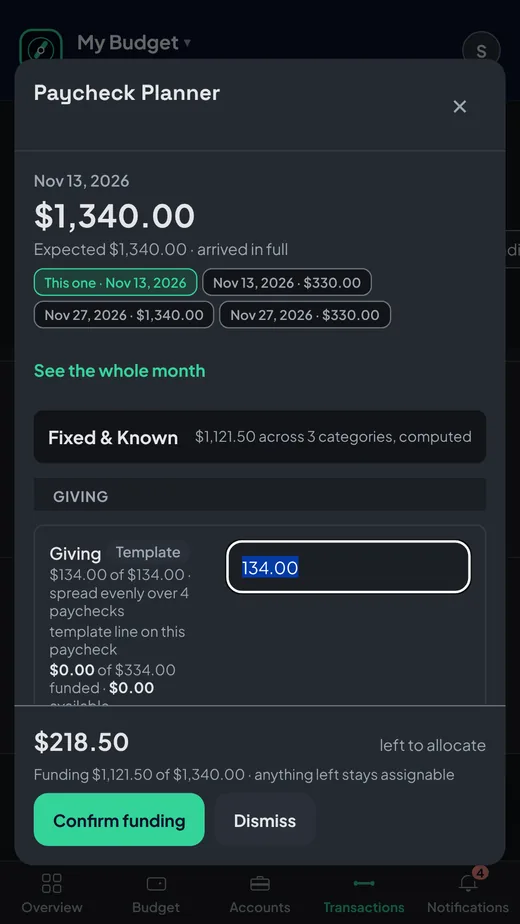
Plan the month in Assigned, then fund it paycheck by paycheck as the money lands.
- Paycheck Planner. Each deposit opens a plan: giving, rent, bills, with what's left shown live.
- Funded and Assigned. Two numbers per category, so a plan never pretends to be cash.
- Budget by paycheck. See which paycheck covers which bill, side by side.
Look ahead
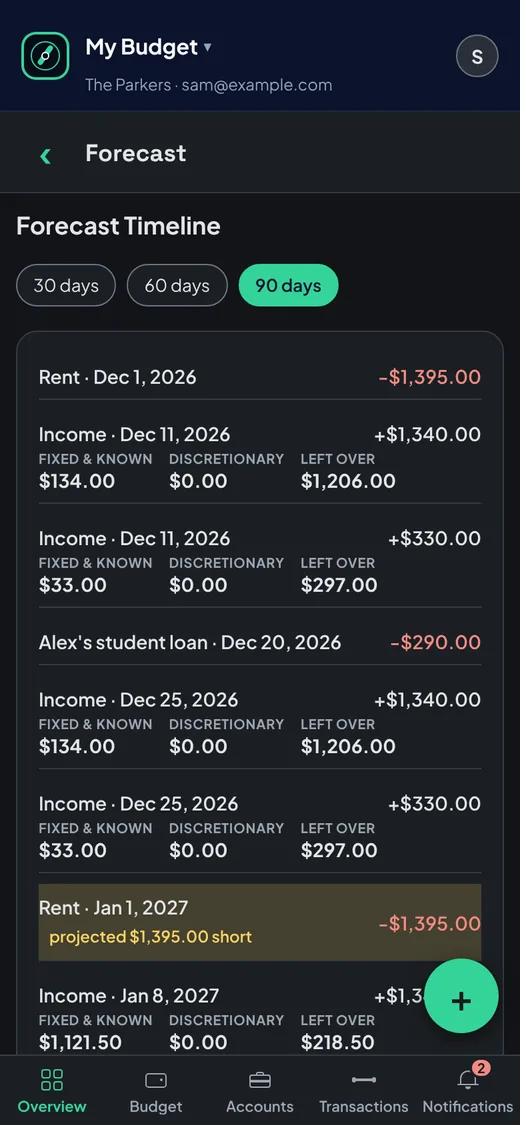
Know where you'll be in 90 days.
Every expected paycheck and bill on one timeline, with the low points flagged before you hit them.
- 30, 60 and 90-day forecast, 180-day paycheck runway built from your recurring plans.
- Solvency check that warns when a bill lands before the paycheck that covers it.
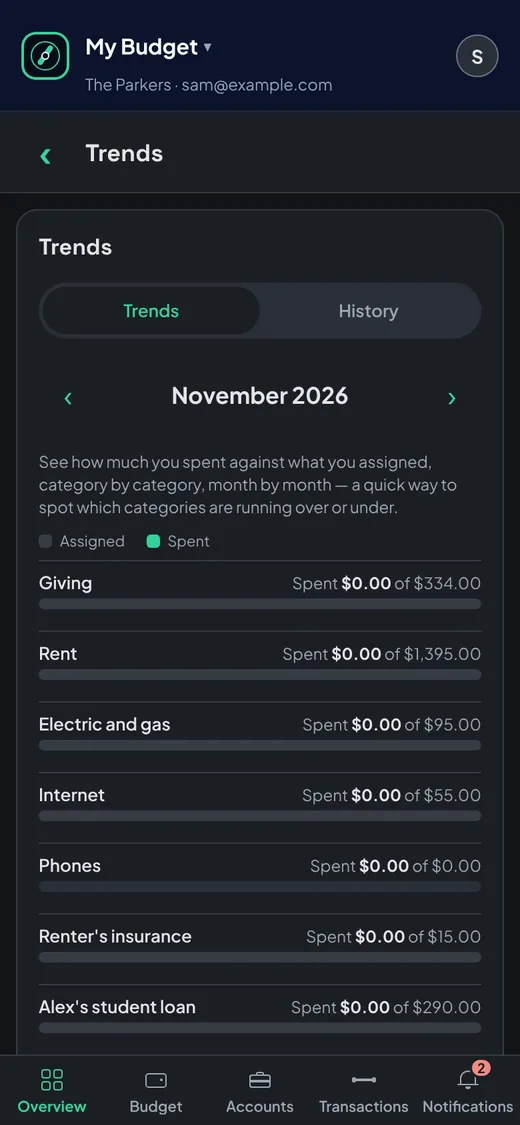
- Trends and history of spending against what you assigned, month by month.
Stay current
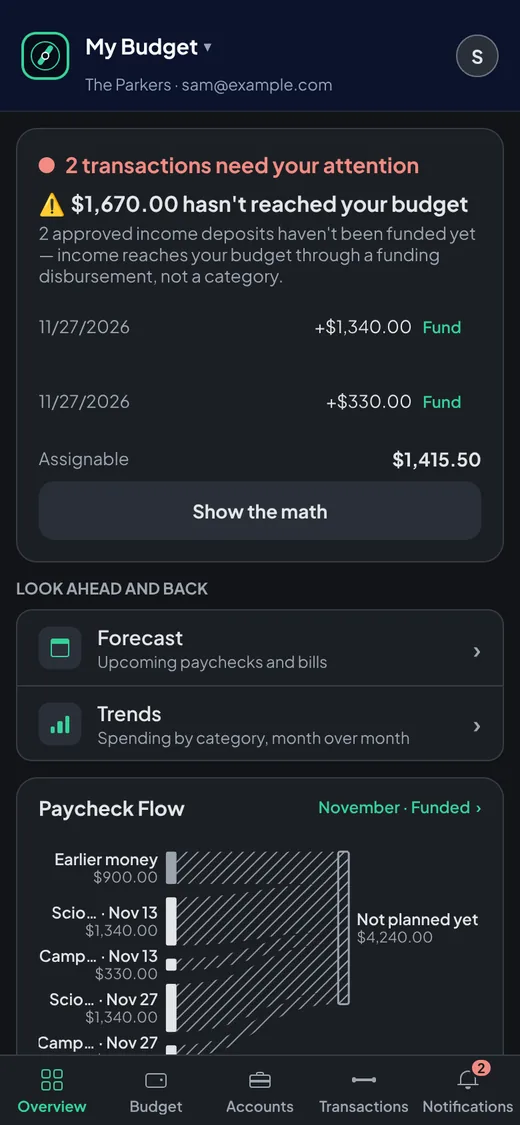
Transactions arrive on their own.
Connect your bank through Plaid and new transactions show up ready to review. Your bank password never touches Forward.
- Bank sync Members through Plaid.
- Notifications collect what needs a look: new paychecks, transfers, rollovers.
- Payee rules that categorize the same store the same way every time.
Receipts Members
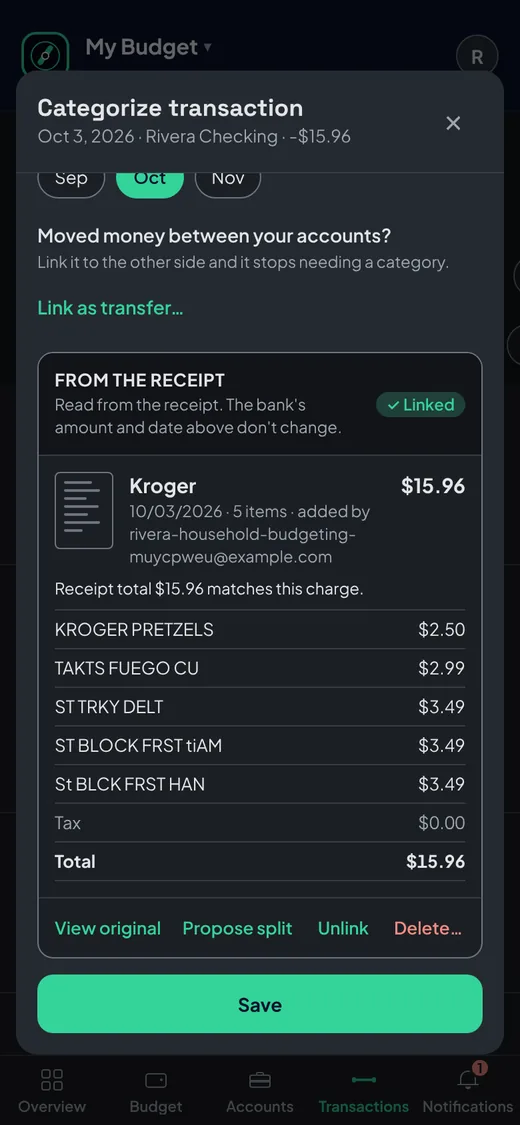
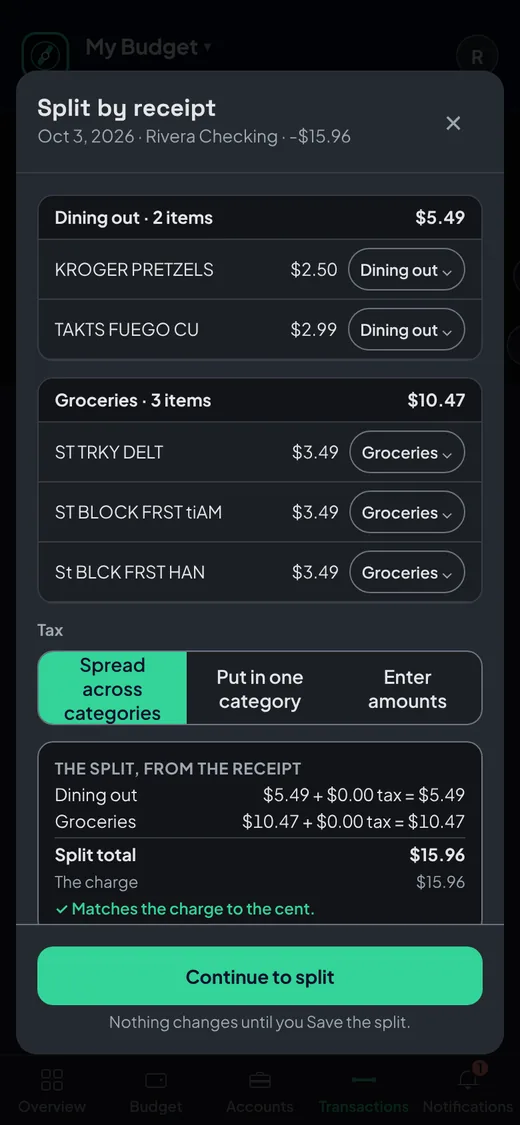
One Walmart run, four categories.
Snap a receipt, upload a PDF or forward an order email. Forward finds the transaction it belongs to and proposes the split.
- Matched with reasons you can see: amount, date and store.
- Itemized splits across groceries, household and more, one tap to accept.
- Email receipts by forwarding. Forward never asks for access to your inbox.
Together
Budget as a household.
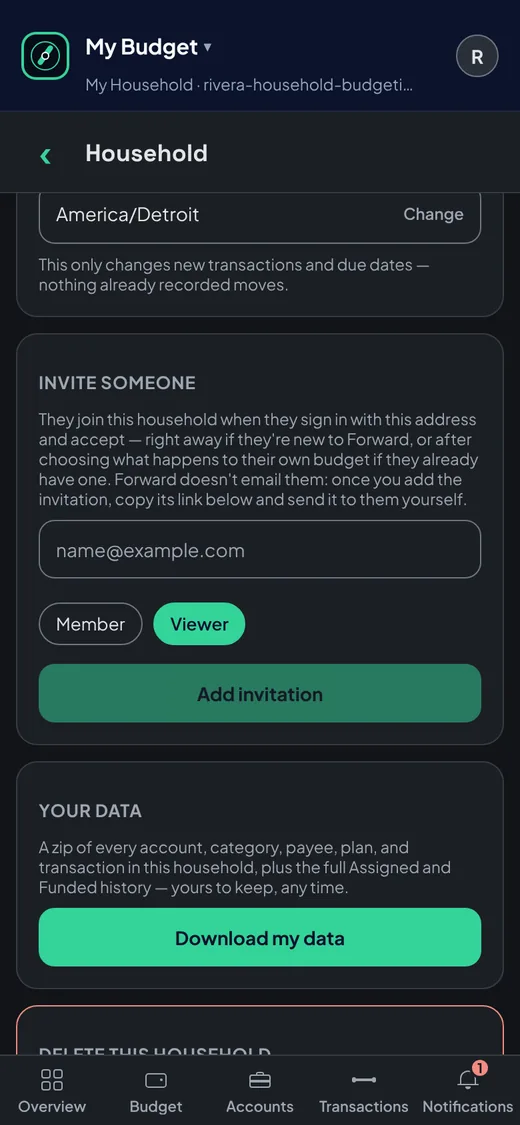
Invite your partner into the same household and plan from the same numbers.
- Two members, one plan each with their own sign-in.
- Budget history of who assigned what, and when.
- Any number of budgets, like a rental property kept apart from home.
AI assistants Members
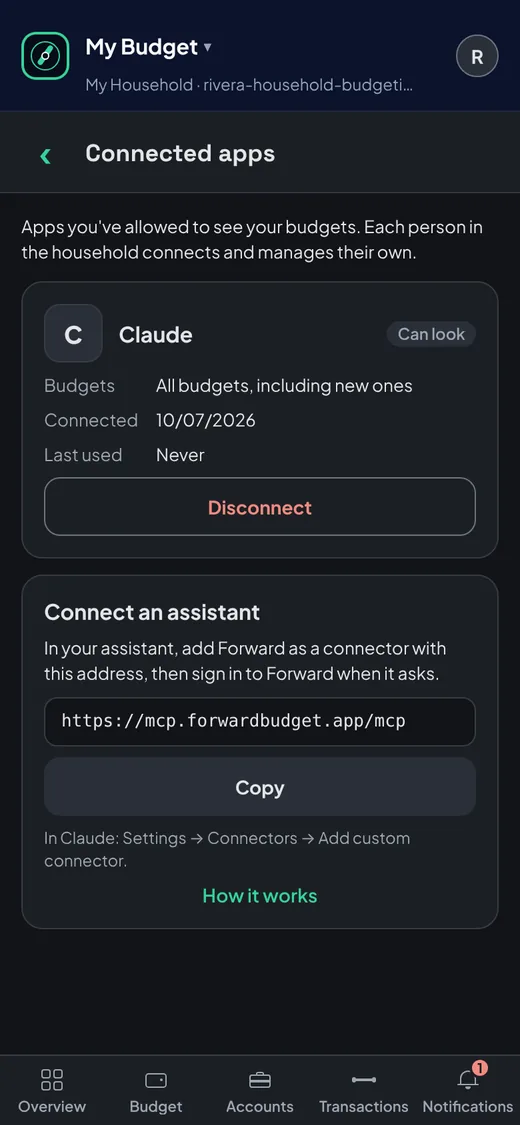
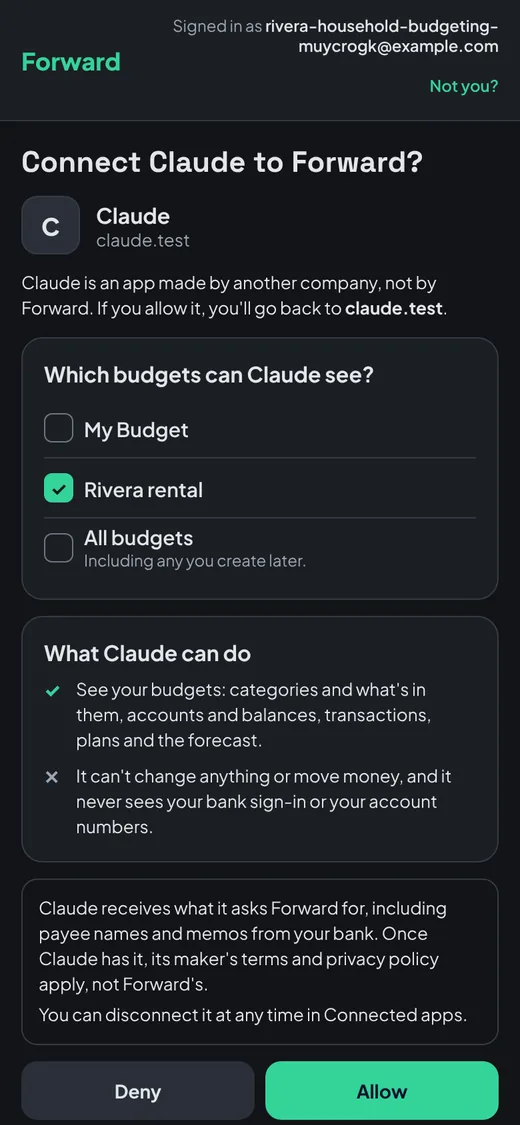
Connect your AI assistant to your budget.
Ask Claude, ChatGPT or any MCP-compatible assistant about your budget in plain words.
- You choose the budgets it can see.
- Answers from your real numbers, in plain words.
- Disconnect any time from Connected apps.
Sign-in
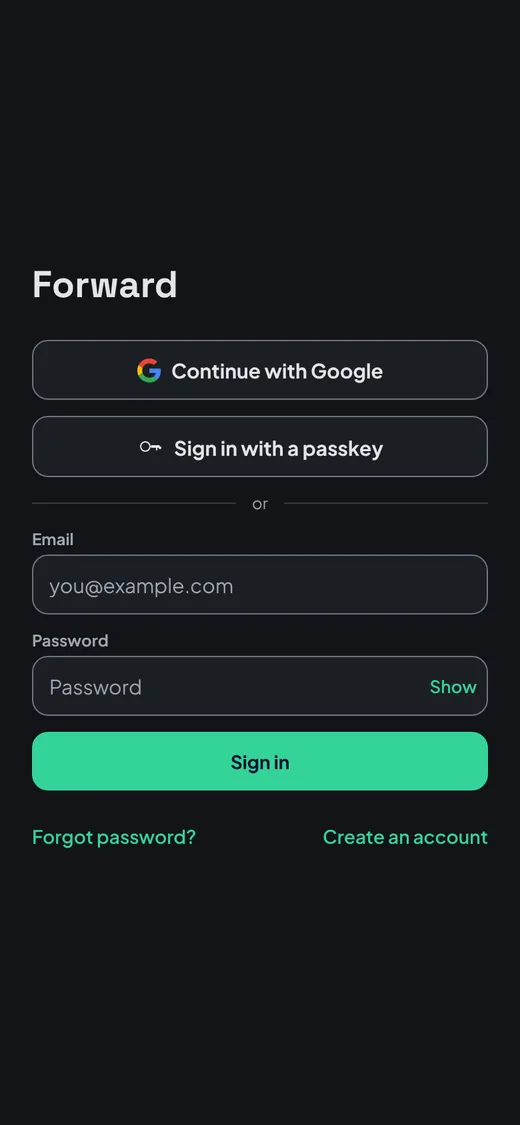
No password to steal.
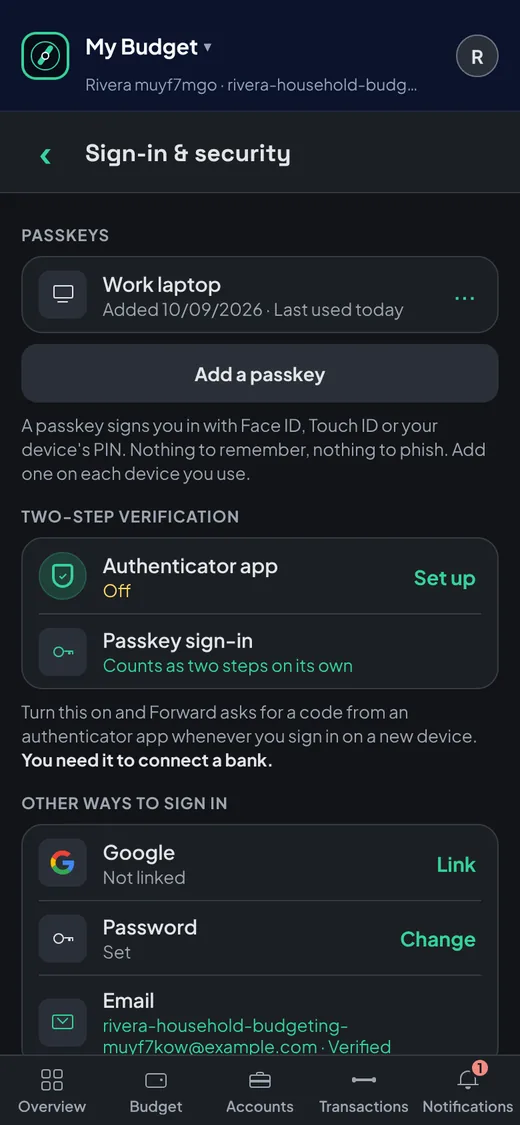
Passkeys and multi-factor sign-in come with every account, free.
- Passkeys with Face ID, Touch ID or your device PIN.
- Multi-factor sign-in with an authenticator app, required before you link a bank.
- Every sign-in method in one place, with when each passkey was last used.
Switch
Your data comes with you, both ways.
Moving to Forward or away from it, your budget is never locked in.
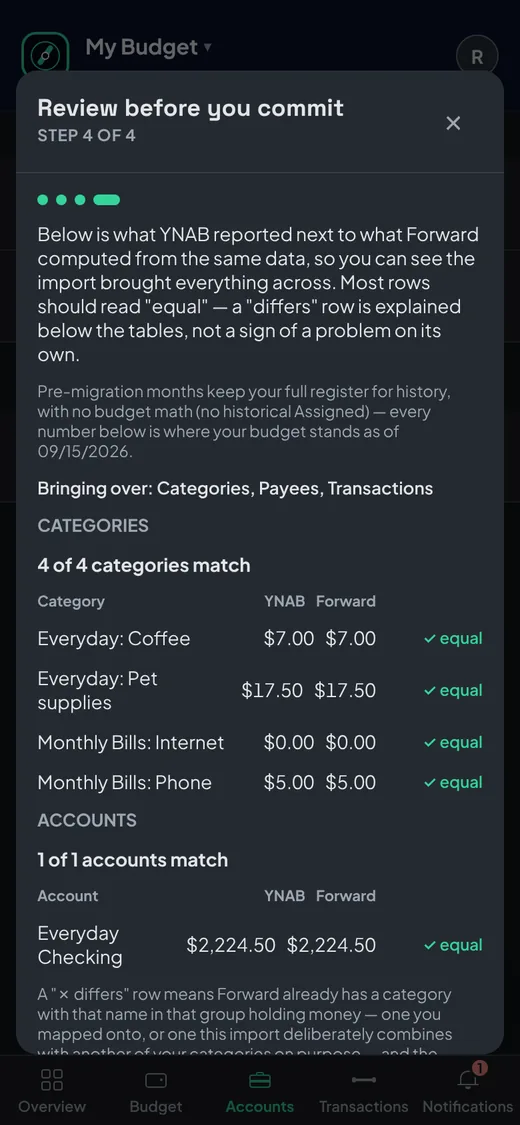
- Import from YNAB, EveryDollar or a CSV in about five minutes.
- Export everything, any time, free.
- A step-by-step guide with real screens: import your budget.